
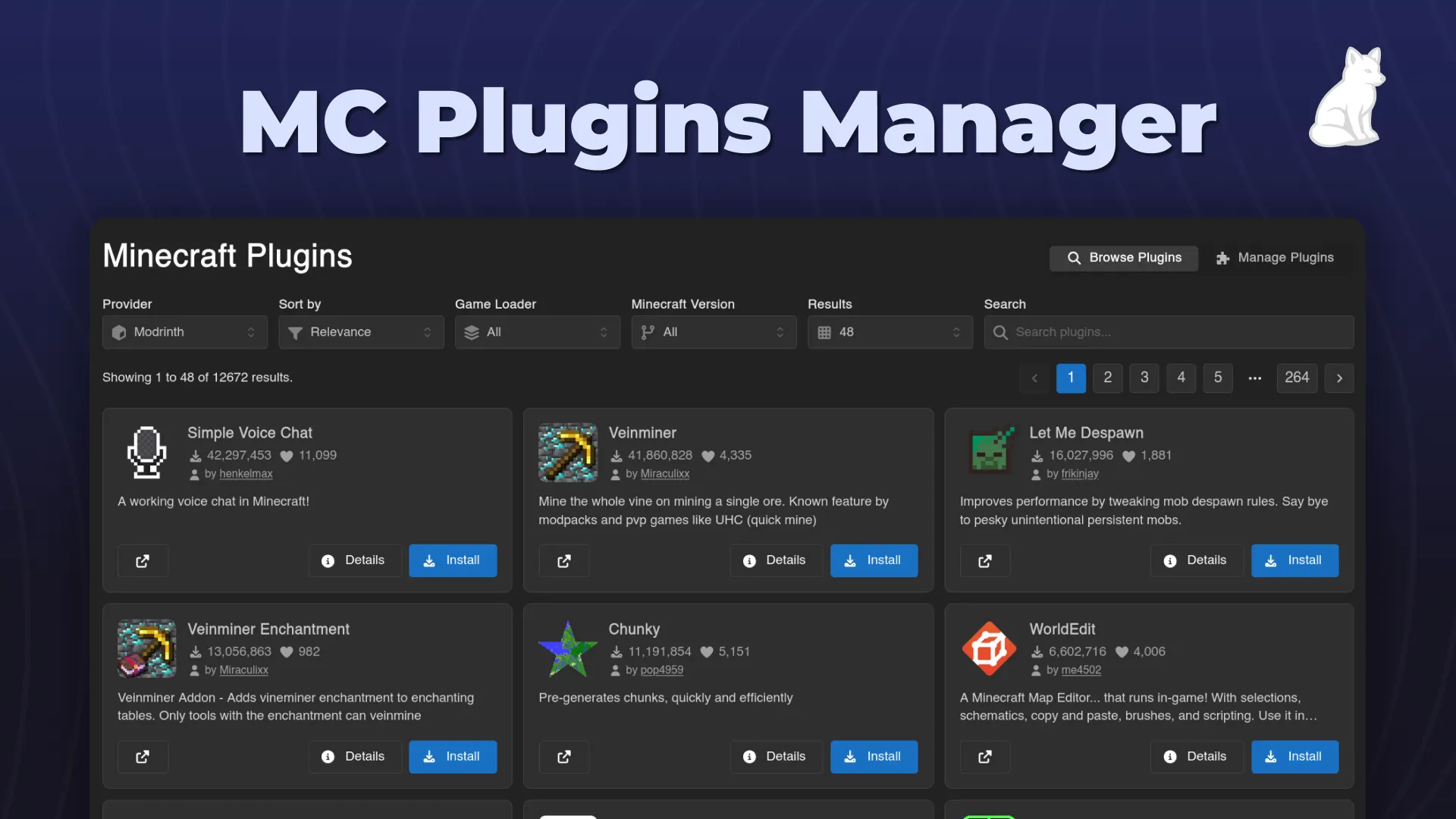
An easy-to-use minecraft plugin installer and manager for Calagopus.
BBBSX
Rated 5.0 out of 5 from 5 reviews
Show a custom Minecraft server-list MOTD while a server is stopped — for the Calagopus panel.
Made by nino
Normally, when a Minecraft server is stopped, players see “Can't connect to server” in their server list. With Offline MOTD they see your message instead — your branding, a red Offline label, a server icon, and a friendly message if they try to join.
┌──────────────────────────────────────────────────────────────────┐
│ [icon]  Lobby                                       ● OFFLINE     │
│         ▶ DRAVEX HOSTING ◀ | Lobby                                │
│         This server is offline • Start it from the panel          │
└──────────────────────────────────────────────────────────────────┘
& colour codes, {server} and {owner} placeholders&c● OFFLINE)A stopped server has nothing listening on its port, so the panel alone can't answer. Offline MOTD has two parts:
| Part | Runs on | Job |
|---|---|---|
| Extension | Calagopus panel | Admin page; stores the eggs, MOTD and icon; asks Wings which servers are running |
| Agent | Each node (systemd service) | Answers Minecraft pings for stopped servers only |
Admin page ─ save ─▶ Panel (Offline MOTD extension)
                         ▲
                         │ every 5 s: which servers on this node are offline?
                         │ (Bearer token; panel checks Wings)
Node agent ──────────────┘
  • server stopped   → iptables REDIRECT its port → agent answers with your MOTD
  • server started   → redirect removed          → the real server answers
  • panel unreachable → all redirects removed    → nothing is intercepted
Only traffic addressed to the node itself is redirected (--dst-type LOCAL), and the agent's chain sits first in
PREROUTING, so it works alongside Docker without taking a port away from a running server.
python3 (3.8+), iptables, systemd, curl, root accessDownload xyz_dravex_motd.c7s.zip from the latest release, then either:
build/extensions/ directory and run docker compose restart web.Go to Admin → Extensions → Offline MOTD → Configure:
On the same page, click Generate agent token, choose a node, and copy the command it shows. Run it as root on that node's machine:
curl -fsSL https://panel.example.com/api/extensions/xyz.dravex.motd/install.sh \
  | sudo bash -s -- --panel https://panel.example.com --node <NODE_UUID> --token <TOKEN>
The installer downloads the agent from your panel, checks that the panel accepts the token, and starts the
offline-motd systemd service. Repeat for every node.
Test it: stop a Minecraft server, refresh your multiplayer list, and your offline MOTD should appear within a few seconds.
| Code | Result | Code | Result |
|---|---|---|---|
&0–&9, &a–&f |
Colours | &l |
Bold |
&o |
Italic | &n |
Underline |
&m |
&r |
Reset | |
&& |
A literal & |
| Placeholder | Replaced with |
|---|---|
{server} |
The server's name |
{owner} |
The owner's username |
Keep each MOTD line under about 45 visible characters, or Minecraft cuts it off.
| Field | Value |
|---|---|
| MOTD line 1 | &4&l▶ &c&lDRAVEX HOSTING &4&l◀ &8| &7{server} |
| MOTD line 2 | &cThis server is offline &8• &7Start it from the panel |
| Version label | &c&l● OFFLINE |
| Join message | &4&lDRAVEX HOSTING&c{server} &7is currently &coffline&7.&7Ask &f{owner} &7to start it from the panel. |
| Setting | Default | Description |
|---|---|---|
| Eggs | (none) | Servers on these eggs get the offline MOTD |
| MOTD line 1 / 2 | &c&l{server} &7is currently &coffline / &7Start it from the panel to play! |
The two lines in the server list |
| Version label | &cOffline |
Shown instead of the ping bars |
| Max players shown | 0 |
“0/N” in the list (online is always 0) |
| Server icon | (none) | 64×64 PNG |
| Join message | &c{server} is offline. … |
Shown when someone tries to join |
| Also show for suspended servers | on | Suspended servers show the offline MOTD too |
| Agent refresh interval | 5 s |
How quickly nodes notice a server started or stopped (2–120 s) |
journalctl -u offline-motd -f          # live logs
systemctl status offline-motd          # status
systemctl restart offline-motd         # restart

# uninstall (removes the service, config and all iptables rules)
curl -fsSL https://panel.example.com/api/extensions/xyz.dravex.motd/install.sh | sudo bash -s -- --uninstall
Agent config lives in /etc/offline-motd/agent.json:
{
  "panel_url": "https://panel.example.com",
  "node": "<NODE_UUID>",
  "token": "<TOKEN>",
  "listen_port": 25599
}
The agent listens on port 25599 (change with --port during install). Players never connect to it directly;
their traffic is redirected to it only for stopped servers.
| Method | Path | Auth | Purpose |
|---|---|---|---|
GET |
/api/admin/extensions/xyz.dravex.motd/settings |
Admin | Read settings |
PUT |
/api/admin/extensions/xyz.dravex.motd/settings |
Admin | Save settings |
POST |
/api/admin/extensions/xyz.dravex.motd/token |
Admin | Generate a new agent token |
GET |
/api/admin/extensions/xyz.dravex.motd/eggs |
Admin | List eggs |
GET |
/api/admin/extensions/xyz.dravex.motd/nodes |
Admin | List nodes |
GET |
/api/extensions/xyz.dravex.motd/agent/config?node=<uuid> |
Agent token | Offline servers + MOTD for one node |
GET |
/api/extensions/xyz.dravex.motd/agent.py |
— | Agent script |
GET |
/api/extensions/xyz.dravex.motd/install.sh |
— | Installer |
Admin permission: offline-motd.manage.
| Problem | Fix |
|---|---|
| Still “Can't connect” | Is the server's egg selected? Is the agent running (systemctl status offline-motd)? |
Agent log shows HTTP 401 |
Token changed — copy the new install command from the admin page and run it again |
Agent log shows HTTP 502 |
The panel couldn't reach Wings on that node; check the node is online in the panel |
| Real MOTD takes a few seconds to appear after start | Expected — up to one refresh interval (default 5 s) |
| Players can't see the MOTD but you can on the node | Test from another machine; connections from the node to itself aren't redirected |
Metadata.toml                  extension manifest
backend/
  Cargo.toml
  src/lib.rs                   routes, permissions, settings registration
  src/settings.rs              stored settings (MOTD, eggs, encrypted agent token)
  src/render.rs                & → § colour codes, placeholders
  src/routes/admin.rs          admin API
  src/routes/agent.rs          agent API (token-protected) + script downloads
  agent/offline_motd_agent.py  node agent (Minecraft ping responder + iptables)
  agent/install.sh             agent installer (systemd)
frontend/
  src/index.tsx                extension entrypoint
  src/pages/AdminMotdPage.tsx  configuration page with live preview
Issues and pull requests are welcome. For bigger changes, please open an issue first to discuss what you'd like to change.
MIT © Dravex Hosting
An easy-to-use minecraft plugin installer and manager for Calagopus.
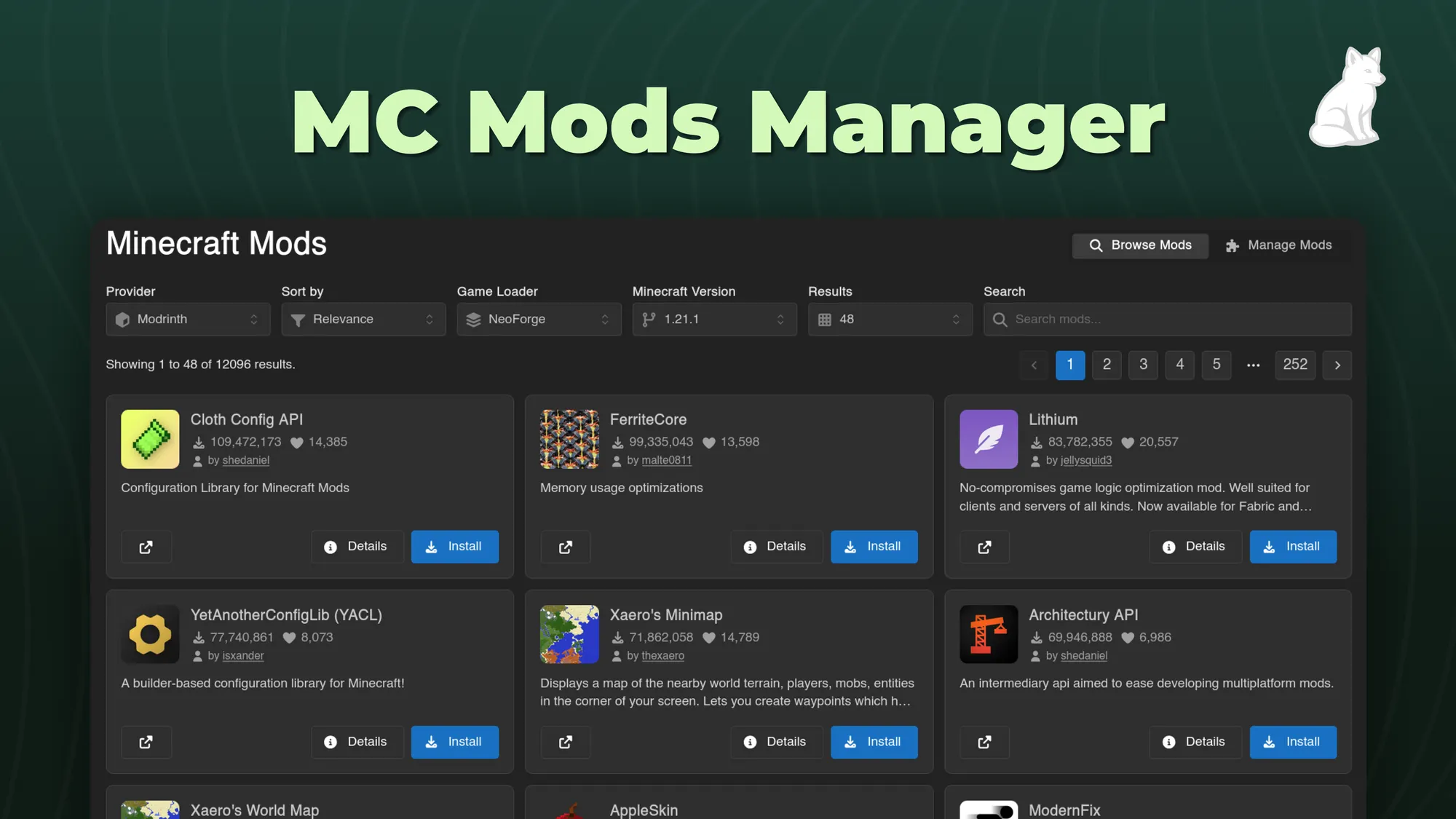
An easy-to-use minecraft mod installer and manager for Calagopus.
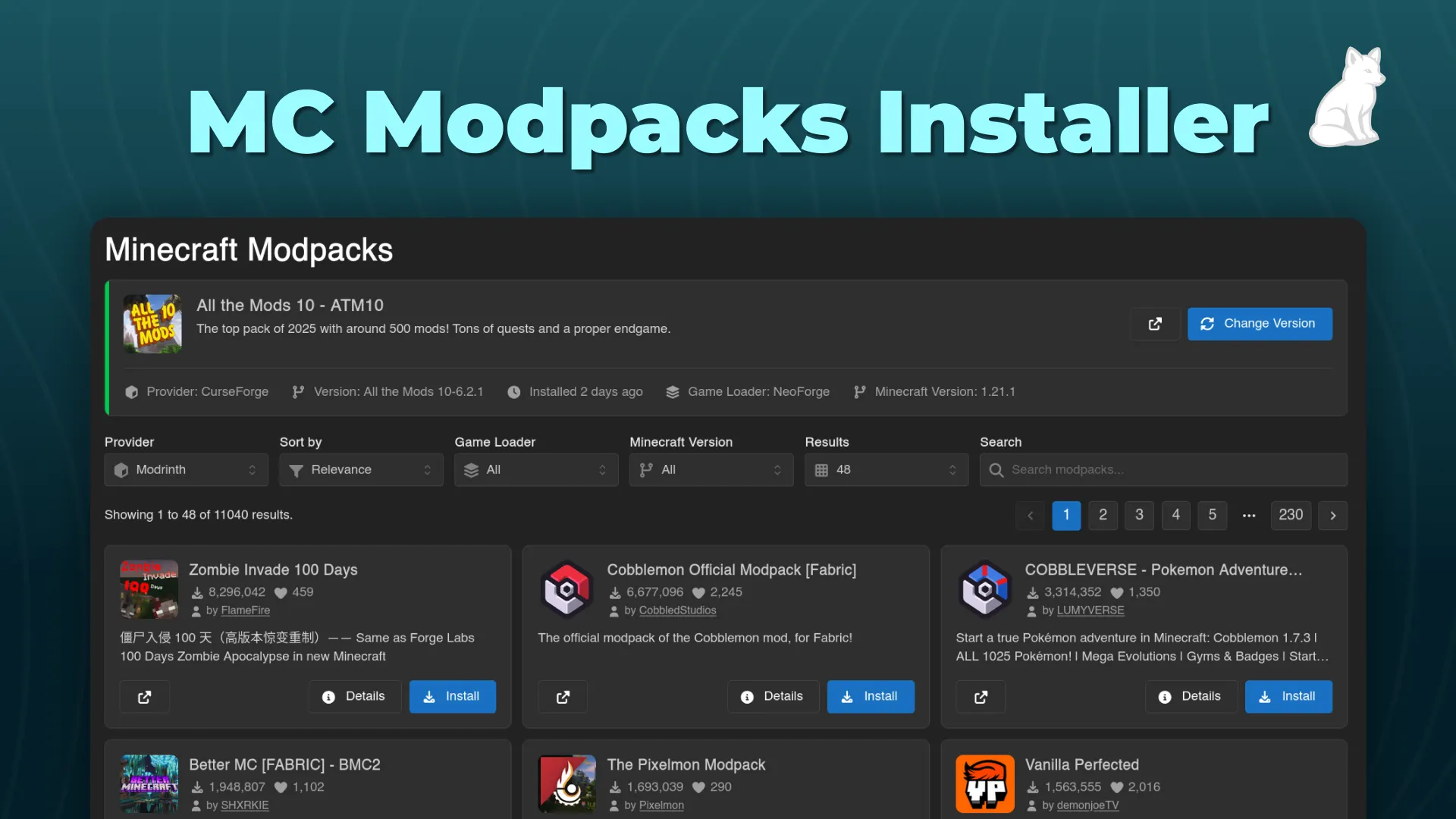
An easy-to-use minecraft modpack installer for Calagopus.
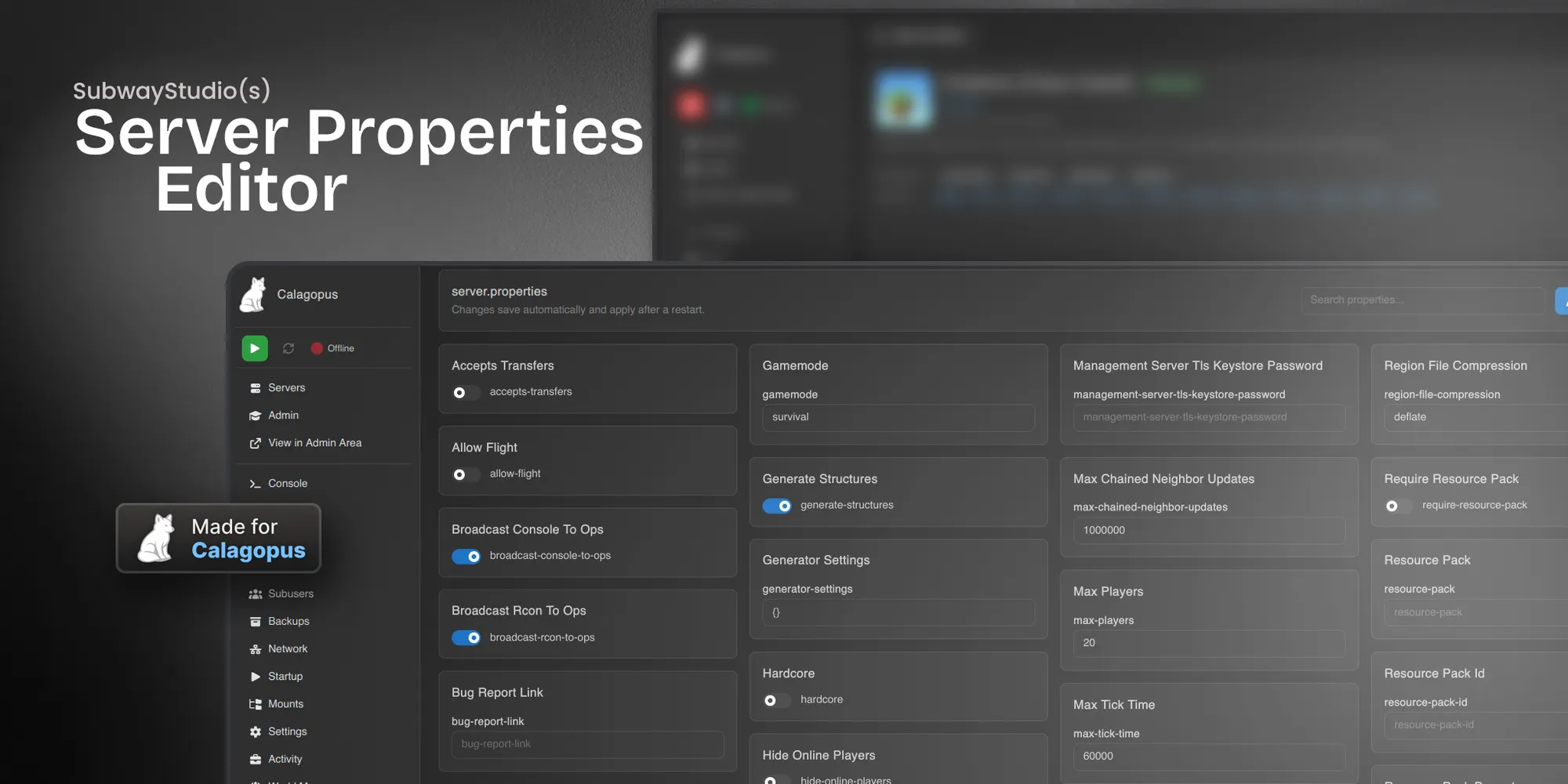
Let the user easily change server properties from the UI