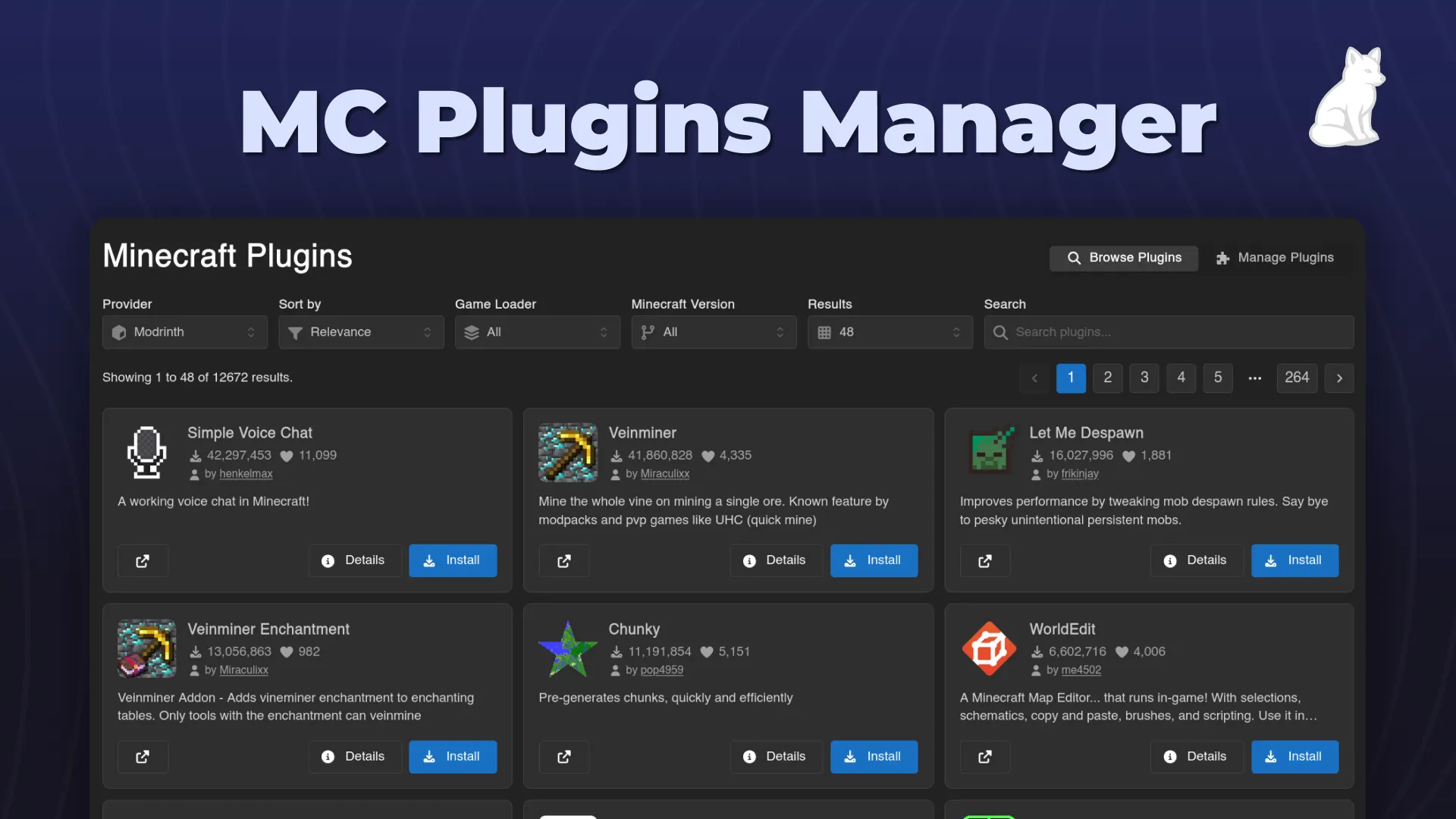
An easy-to-use minecraft plugin installer and manager for Calagopus.
BBBSX
Rated 5.0 out of 5 from 5 reviews
A simple git tool for calagopus development (EXTENSION).
Tooling for developing Calagopus panel extensions. It moves an extension between the panel checkout you have to build it in and the git repository you actually want to keep it in, and it builds the shippable archive.
You edit inside the panel checkout, at <panel>/backend-extensions/<identifier>/.
The git repositories under extensions/ are storage, not a workspace. c7s commit copies
the panel's version into the repository; nothing is ever edited in extensions/ by hand.
This is not a style preference, it is forced by the panel's build. See Why the source has to live in the panel.
bash, rsync, git, and a Calagopus panel checkout with panel-rs built. cargo and
pnpm for export, gh for anything touching GitHub.
git clone https://github.com/Anthony01M/c7s_git_tool.git
ln -s "$PWD/c7s/c7s.sh" /usr/local/bin/c7s
Then point it at your panel:
mkdir -p ~/.config/c7s
echo 'PANEL_DIR=/path/to/calagopus' >> ~/.config/c7s/config
c7s config
Read from the environment, or from $XDG_CONFIG_HOME/c7s/config (default
~/.config/c7s/config), which is sourced as shell. C7S_CONFIG overrides its location.
| Variable | Default |
|---|---|
PANEL_DIR |
the nearest panel checkout at or above $PWD |
EXTENSIONS_DIR |
extensions/ next to c7s.sh |
GITHUB_USER |
the account gh is logged in as |
REPO_PREFIX |
c7s_extension_ |
REPO_VISIBILITY |
private, for repositories c7s creates |
AI_DOC |
unset. The extension AI doc to keep current, any file name, absolute or relative to PANEL_DIR. c7s doc <path> sets it |
AI_DOC_URL |
https://calagopus.com/ai-doc/extensions.md |
AI_DOC |
unset. The extension AI doc to keep current, any file name, absolute or relative to PANEL_DIR. c7s doc <path> sets it |
AI_DOC_URL |
https://calagopus.com/ai-doc/extensions.md |
c7s config prints what all of these resolved to, which is the first thing to run when a
command cannot find something.
| Path | What it is |
|---|---|
$PANEL_DIR |
The panel checkout. Third-party code, cloned from pterodactyl-rs/panel. Never commit to it, never edit panel source. |
$PANEL_DIR/backend-extensions/<identifier>/ |
The working copy of an extension. This is where you write code. |
$EXTENSIONS_DIR/<repo>/ |
The git repository for one extension. Written by c7s pull, read by c7s install. Not part of this repository. |
<repo>/dist/<identifier>.c7s.zip |
The built archive. Gitignored, this is what you install or distribute. |
$PANEL_DIR/exported-extensions/ |
Where the panel drops archives. c7s export copies from here into <repo>/dist. |
Identifiers, packages and repository names are three views of the same thing:
| Form | Example | Used by |
|---|---|---|
| Package name | com.example.autologin |
Metadata.toml, every c7s command, route paths |
| Identifier | com_example_autologin |
directory under backend-extensions/, crate name, archive name |
| Repository | c7s_extension_autologin |
GitHub |
| Command | What it does |
|---|---|
c7s status |
Per extension: in sync, panel has uncommitted changes, or missing from the panel. |
c7s new <package> |
Scaffolds via panel-rs extensions init, creates the repository, makes the first commit. |
c7s commit [package...] [msg] [--no-release] |
The one you use most. Pulls the panel's version into the repository, commits and pushes, then creates or refreshes the v<version> release by default. |
c7s export [package...] |
Runs the panel's export (all its checks) and copies the archive to <repo>/dist. |
c7s release [package...] [tag] |
Export, commit, then attach the archive to a GitHub release. Tag defaults to v<version from Cargo.toml>. |
c7s repo [package...] [name] [--no-release] |
Creates the GitHub repo and pushes, then creates or refreshes its release by default. Needs gh authenticated. |
c7s pull [package...] |
Panel → repository, no commit. commit calls this for you. |
c7s install [package...] |
Repository → panel, then extensions resync. |
c7s install-all |
Every extension back into the panel, then pnpm install. |
c7s update [--discard] [--build] |
git pull the panel past whatever you changed inside it. |
c7s clone <repo-name> |
Clone from GitHub and install into the panel. Takes owner/name too. |
c7s run [package...] |
Start a throwaway panel with only these extensions. --logs, --stop, --destroy. |
c7s doc [path] |
Download the extension AI doc from AI_DOC_URL into AI_DOC. A path sets AI_DOC and saves it to the config file. c7s update refreshes it too. |
c7s doc [path] |
Download the extension AI doc from AI_DOC_URL into AI_DOC. A path sets AI_DOC and saves it to the config file. c7s update refreshes it too. |
c7s config |
Show where c7s thinks everything is. |
commit, export, release, repo, pull and install take any number of package
names. Leave them out and c7s opens a scrollable checklist of your extensions instead, each
shown with its sync state: fzf --multi if it is installed (tab selects, ctrl-a selects
all), otherwise whiptail (space selects, enter confirms, esc cancels). commit ticks the
extensions with uncommitted panel changes for you.
c7s commit                                          # pick from the list and release by default
c7s export com.example.autologin com.example.theme  # or name them
c7s commit com.example.autologin com.example.theme "fix: shared typo"
c7s commit com.example.autologin --no-release      # commit and push without a release
Each package runs on its own, so one failing does not stop the rest; a summary of what failed is printed at the end. Without a terminal (scripts, CI) the list cannot open, so pass the names.
c7s run [package...] starts a separate panel (its own Postgres, Valkey and heavy panel
container, compose project c7s-run) with only the extensions you name or pick. Use it to
prove an extension works on its own before sharing it. Nothing touches your real panel.
c7s run com.example.autologin   # or just: c7s run, and pick
c7s run --logs                  # follow the first start, which compiles the panel
c7s run --stop                  # stop it, keeping its data
c7s run --destroy               # remove it and everything it stored
Each run reuses an extension's archive from <repo>/dist unless the extension changed since,
in which case it is exported first. The panel container is recreated every run, so
extensions from an earlier run are gone. It listens on 127.0.0.1:8090 and is capped at 6 GB
of memory with 2 compile jobs; change that with RUN_BIND, RUN_PORT, RUN_MEMORY,
RUN_JOBS, RUN_IMAGE and RUN_DIR (default ~/.local/share/c7s/run).
I changed an extension, how do I get it into git?
c7s commit com.example.autologin "fix: whatever changed"That pulls from the panel, commits, and pushes. Run c7s status first if you want to see
what differs. Editing a file in extensions/ directly is wrong — c7s pull overwrites it.
I want a new extension.
c7s new com.example.something
Then edit <panel>/backend-extensions/com_example_something/ and c7s commit when done.
I updated or reinstalled the panel and my extensions are gone.
c7s install-all
Every extension is copied back and resynced. This is the reason the repositories exist —
you never have to hand-restore backend-extensions/ after wiping the panel.
The panel is out of date, and git pull says "Please commit your changes or stash them
before you merge".
c7s update
Most of the time that message is not about anything you wrote. extensions resync and
pnpm install rewrite Cargo.lock, backend-extensions/internal-list/ and
frontend/pnpm-lock.yaml every time you touch an extension, and those four files are the
whole reason the pull refuses. c7s update restores them from HEAD, fast-forwards, then
regenerates them with extensions resync and pnpm install — nothing is lost, because
nothing there was written by hand.
Panel source you did edit is stashed, listed before it goes, and comes back with:
git -C <panel> stash pop
--discard throws those edits away instead of stashing them, for when the panel is dirty
because you were poking at it and you know you want none of it. --build also runs
SQLX_OFFLINE=true cargo build -p panel-rs; without it you get the command printed at the
end to run yourself.
Your extensions are untracked in the panel's git repository, so neither the pull nor the
stash can touch backend-extensions/<identifier>/. If a pull ever does clobber one,
c7s install-all puts it back.
Only a fast-forward is attempted. If it fails, the checkout has local commits — you were not supposed to commit to the panel, and the error tells you how to reset it.
I want a shippable archive.
c7s export com.example.autologin     # -> <repo>/dist/com_example_autologin.c7s.zip
c7s release com.example.autologin    # same, plus a GitHub release
c7s commit and c7s repo create or refresh a GitHub release by default, using the extension's
Cargo version as v<version> and attaching the .c7s.zip. Existing release assets are replaced.
Pass --no-release to either command to skip release creation. c7s release remains available
when you want an explicit tag.
Install it on a panel with:
panel-rs extensions add com_example_autologin.c7s.zip
panel-rs extensions apply --profile balanced
panel-rs extensions add and update take a file path only — never a URL. To install
from GitHub you download the release asset first.
The panel wants the crate at the extension root. The repository (and the .c7s.zip) put it
under backend/. c7s pull and c7s install translate between the two:
panel: backend-extensions/<identifier>/    repo: extensions/<repo>/
├── Cargo.toml                             ├── backend/Cargo.toml
├── src/                                   ├── backend/src/
├── Metadata.toml                          ├── Metadata.toml
├── frontend/                              ├── frontend/
└── migrations/                            ├── migrations/
                                           └── dist/
Three separate mechanisms break if the real path of an extension is outside the panel checkout. All three were tested; this is not theoretical.
node_modules resolution fails for react, @fortawesome/*
and @mantine/*.@/… alias is scoped to the panel's tsconfig. An importer outside the tree loses it,
so @/elements/… stops resolving even after node_modules is fixed.packages: ['extensions/*', '../backend-extensions/*/frontend']) links
shared with a relative path that breaks when the directory moves.Symlinking the other way does not work either: panel-rs extensions export does not follow a
symlinked src, and fails with "unable to find file backend/src/lib.rs".
Hence: copy in, copy out.
cargo fmt --check fails after any extensions init, remove or resync. The generated
backend-extensions/internal-list/src/lib.rs is written unformatted (rustfmt collapses a
single-element vec!). c7s export runs cargo fmt -p extension-internal-list first.panel-rs extensions init is interactive. With no TTY it panics on the template prompt.
Drive it with printf '\n' | script -qec "…" /dev/null.com.example.sso is rejected, com.example.autologin is fine.extensions export runs cargo fmt --check, pnpm biome:validate and pnpm build:ci.
All three must pass. Answer the "check before exporting" prompt with yes.frontend/biome.json ("root": false, semicolons: asNeeded) that ships inside each
extension, so the panel's own biome config is untouched. Rust keeps semicolons — the language
requires them.MIT, see LICENSE.
An easy-to-use minecraft plugin installer and manager for Calagopus.
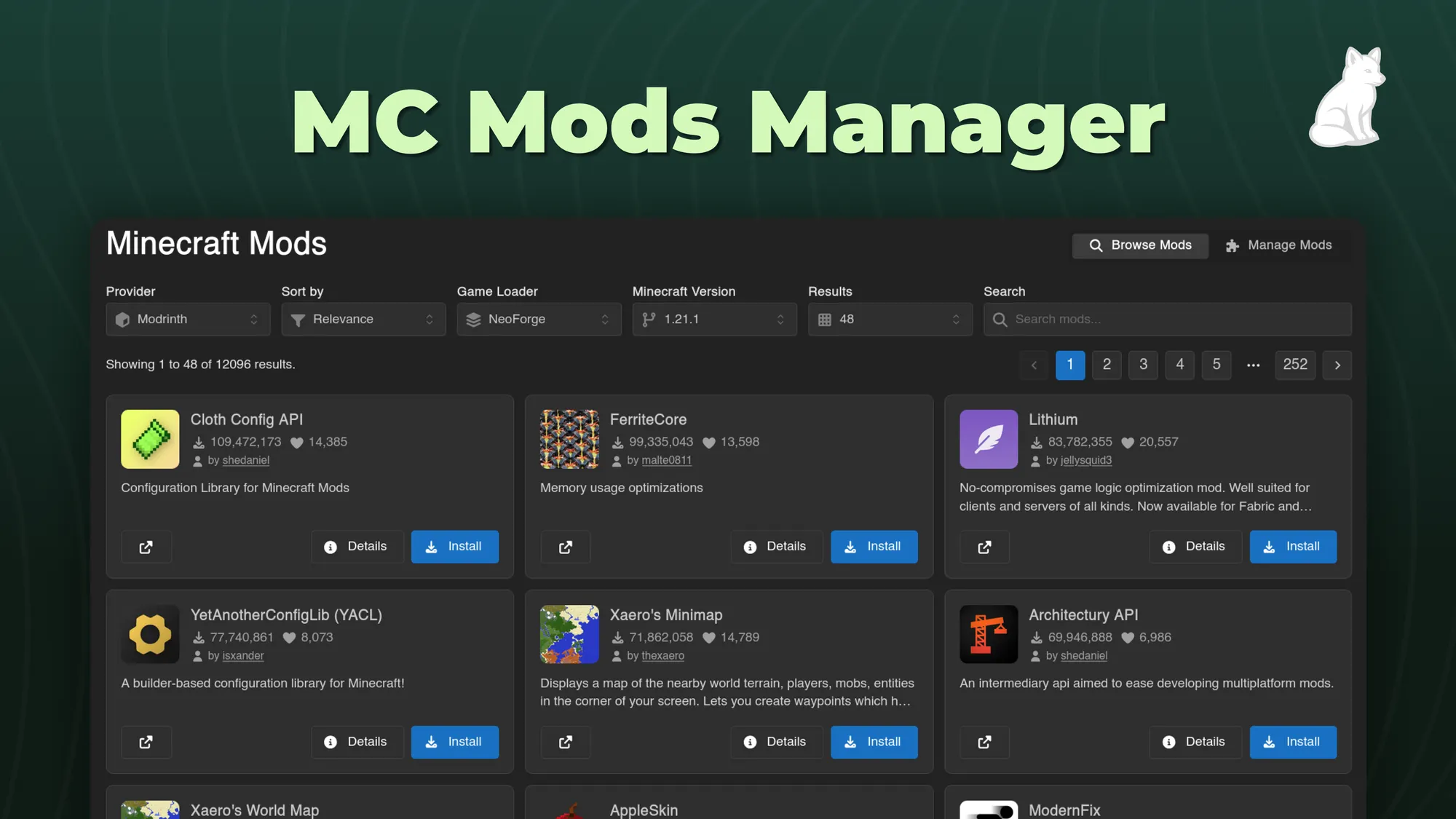
An easy-to-use minecraft mod installer and manager for Calagopus.
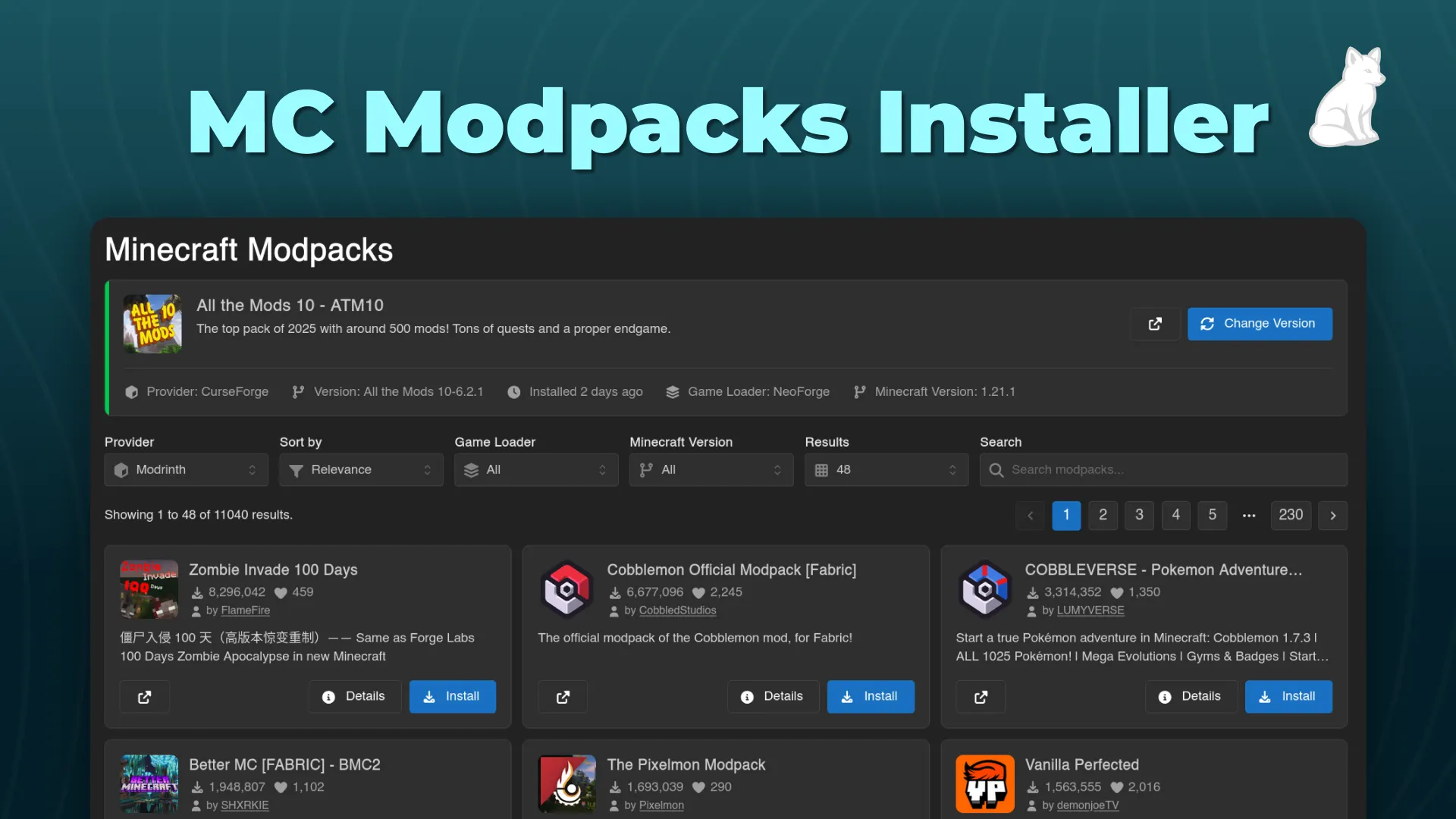
An easy-to-use minecraft modpack installer for Calagopus.
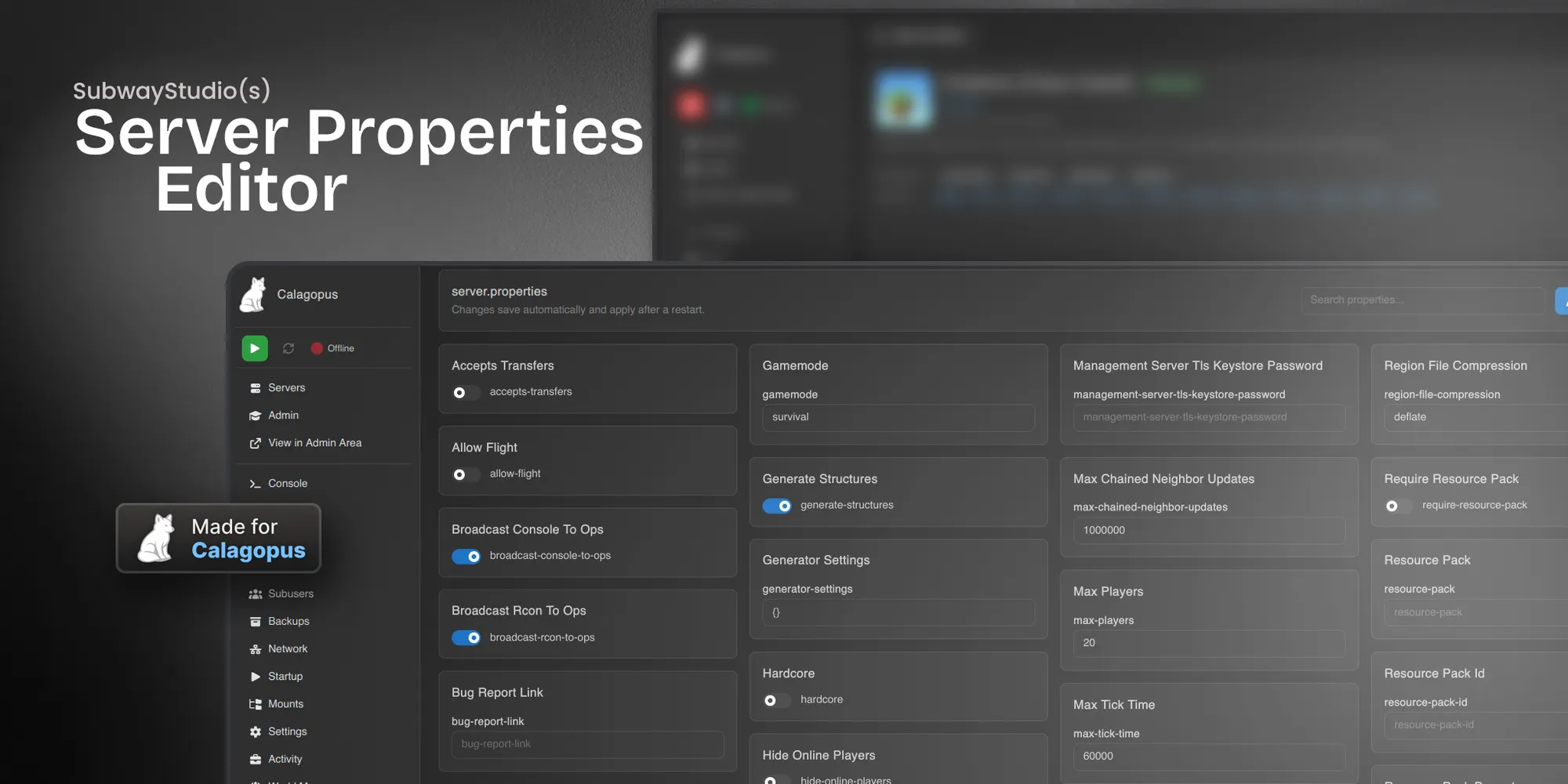
Let the user easily change server properties from the UI