Features
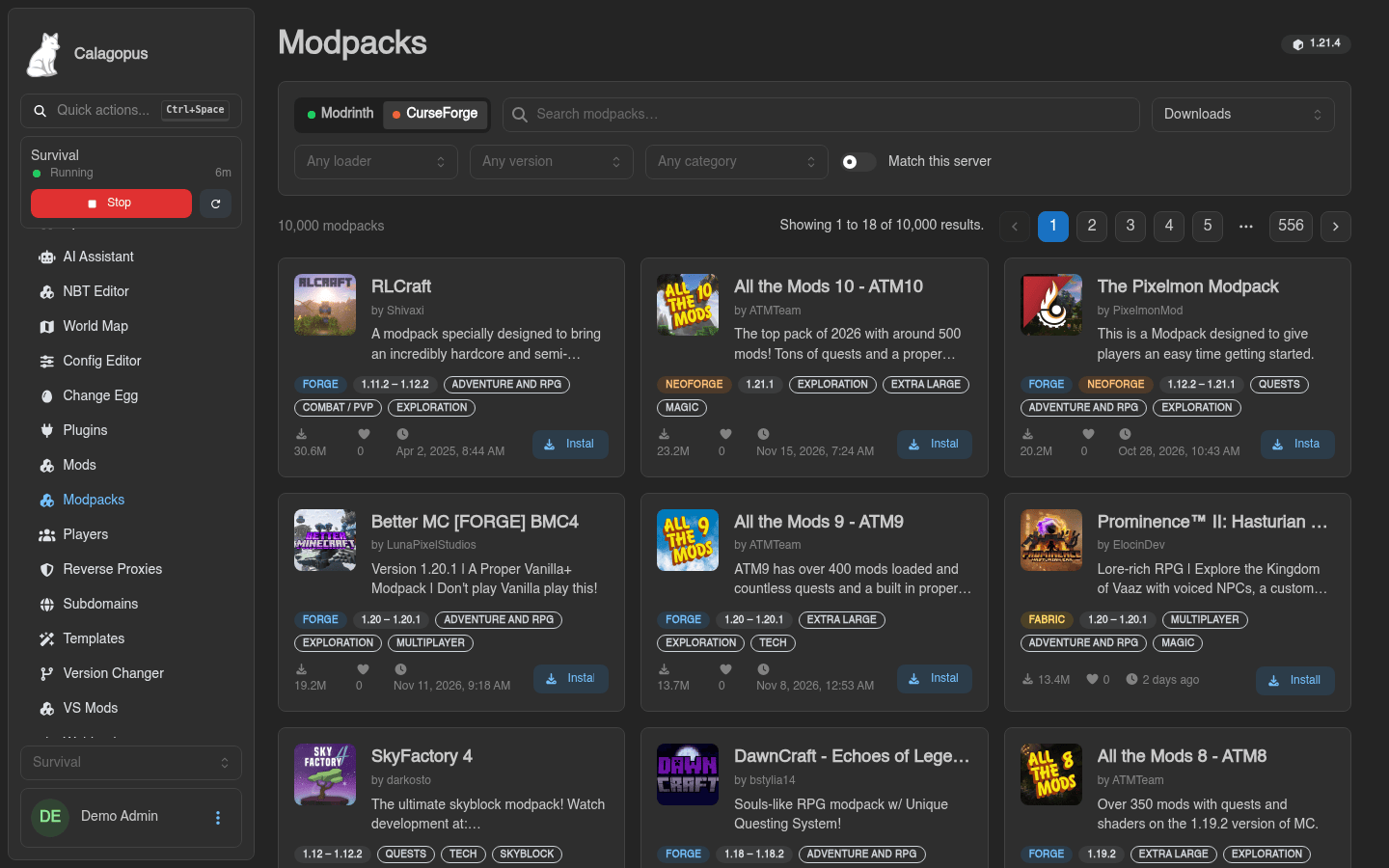
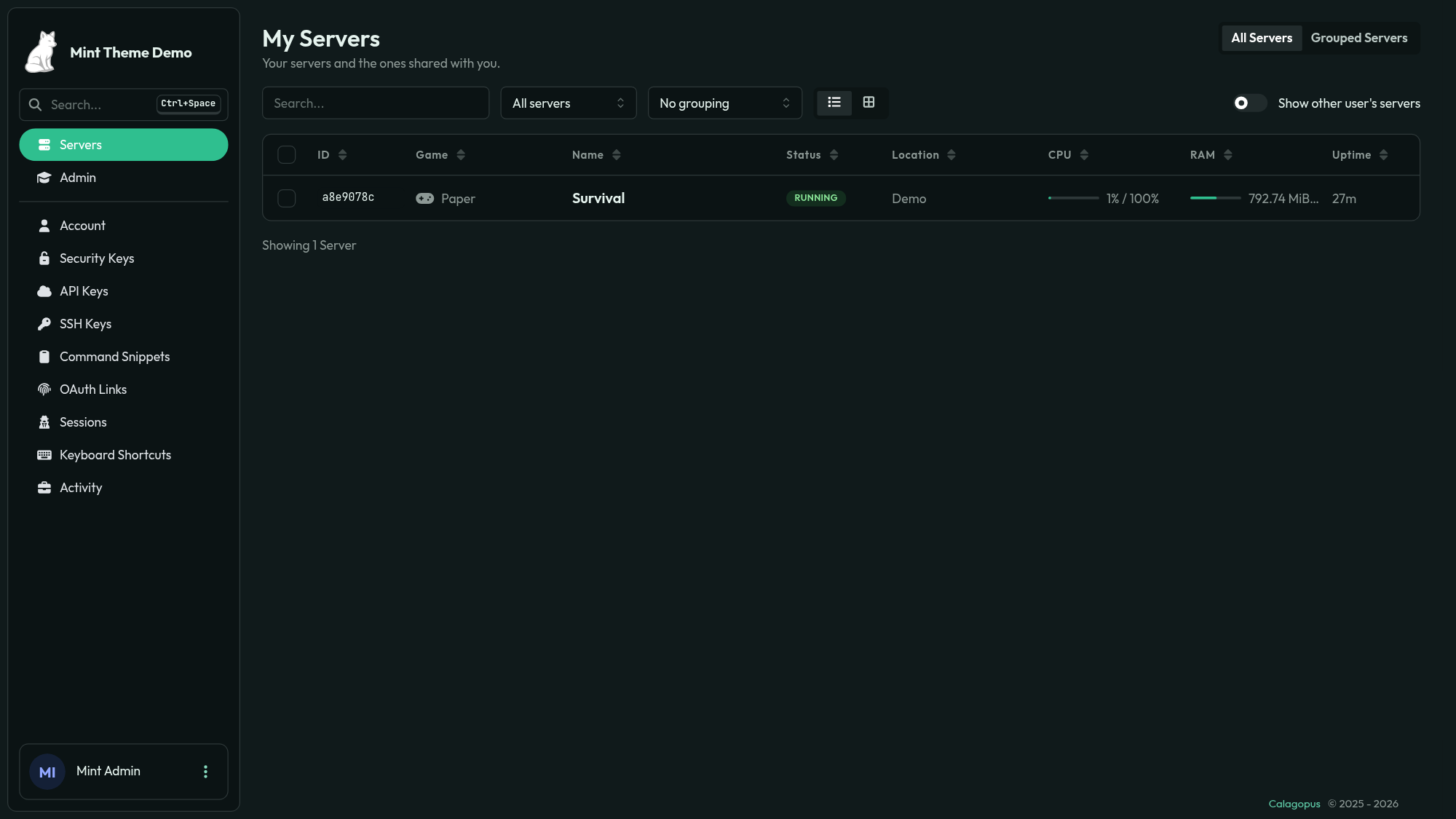
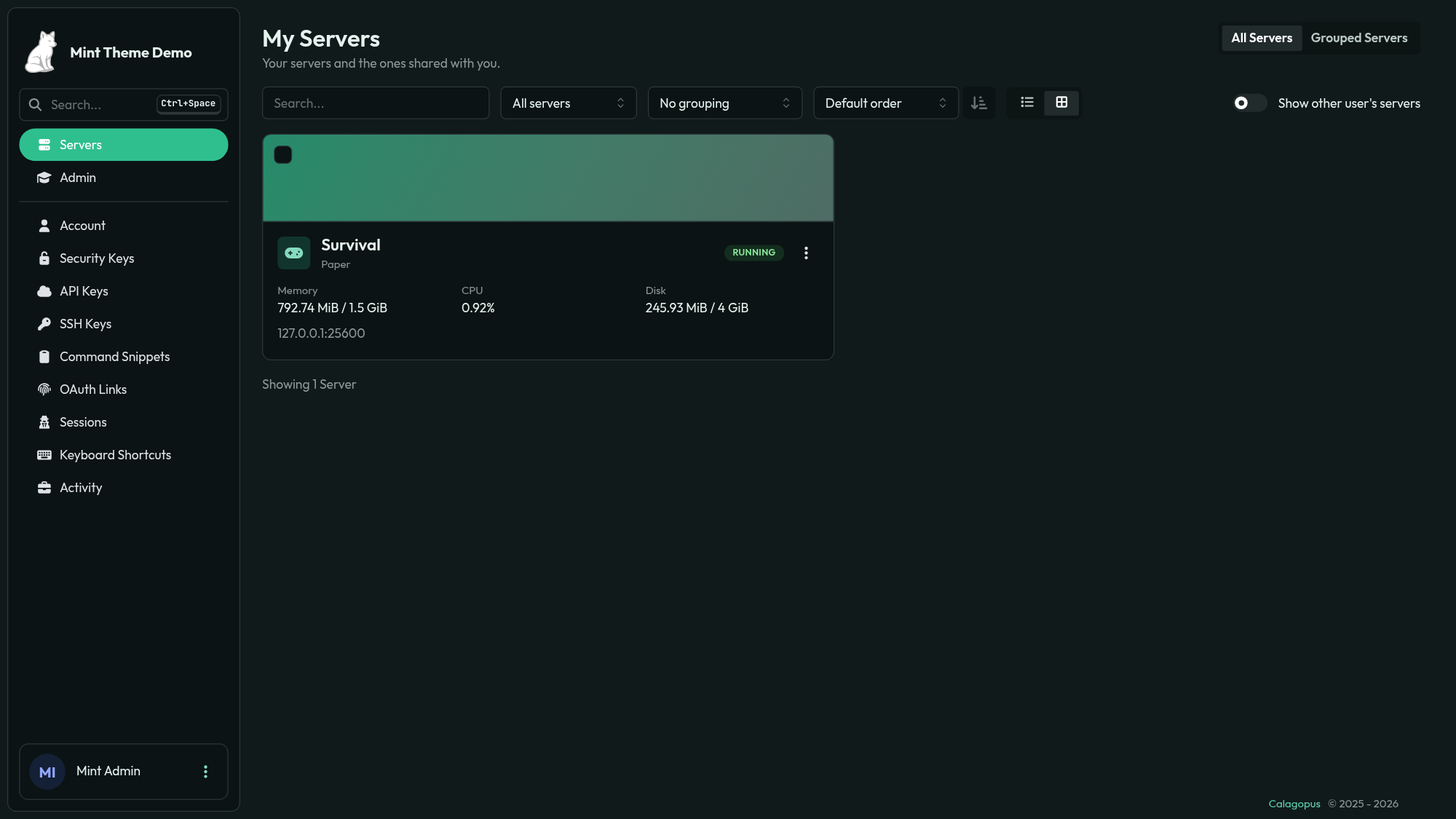
- Server list: table or grid views with search, status filters, sorting, grouping, responsive columns, game artwork, selectable servers, and bulk start/restart/stop actions. Several card and table styles are included.
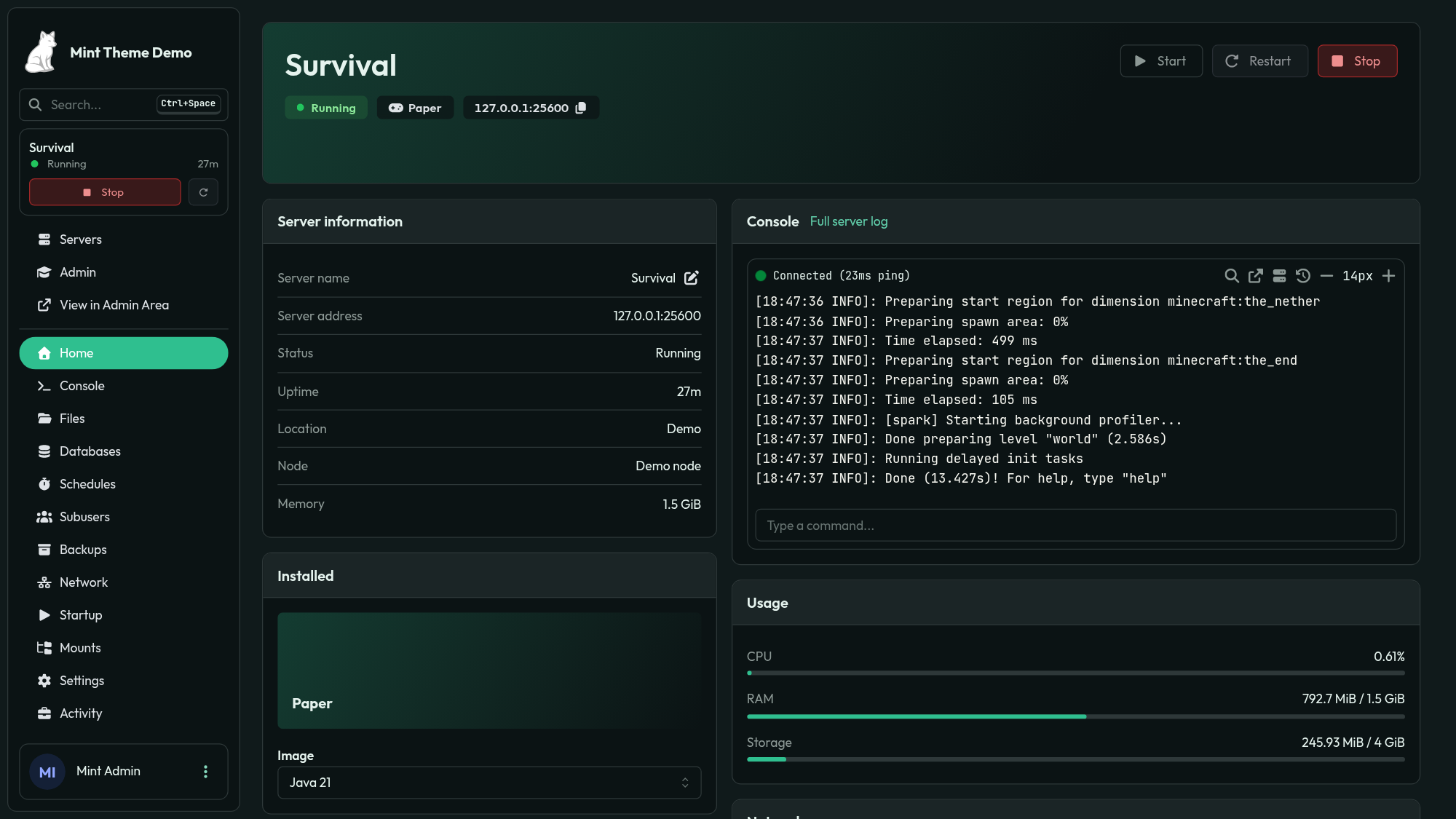
- Server home: configurable banner, power controls, server information, image switcher, console preview, usage, network and card order. It can be disabled to keep the console as the first page.
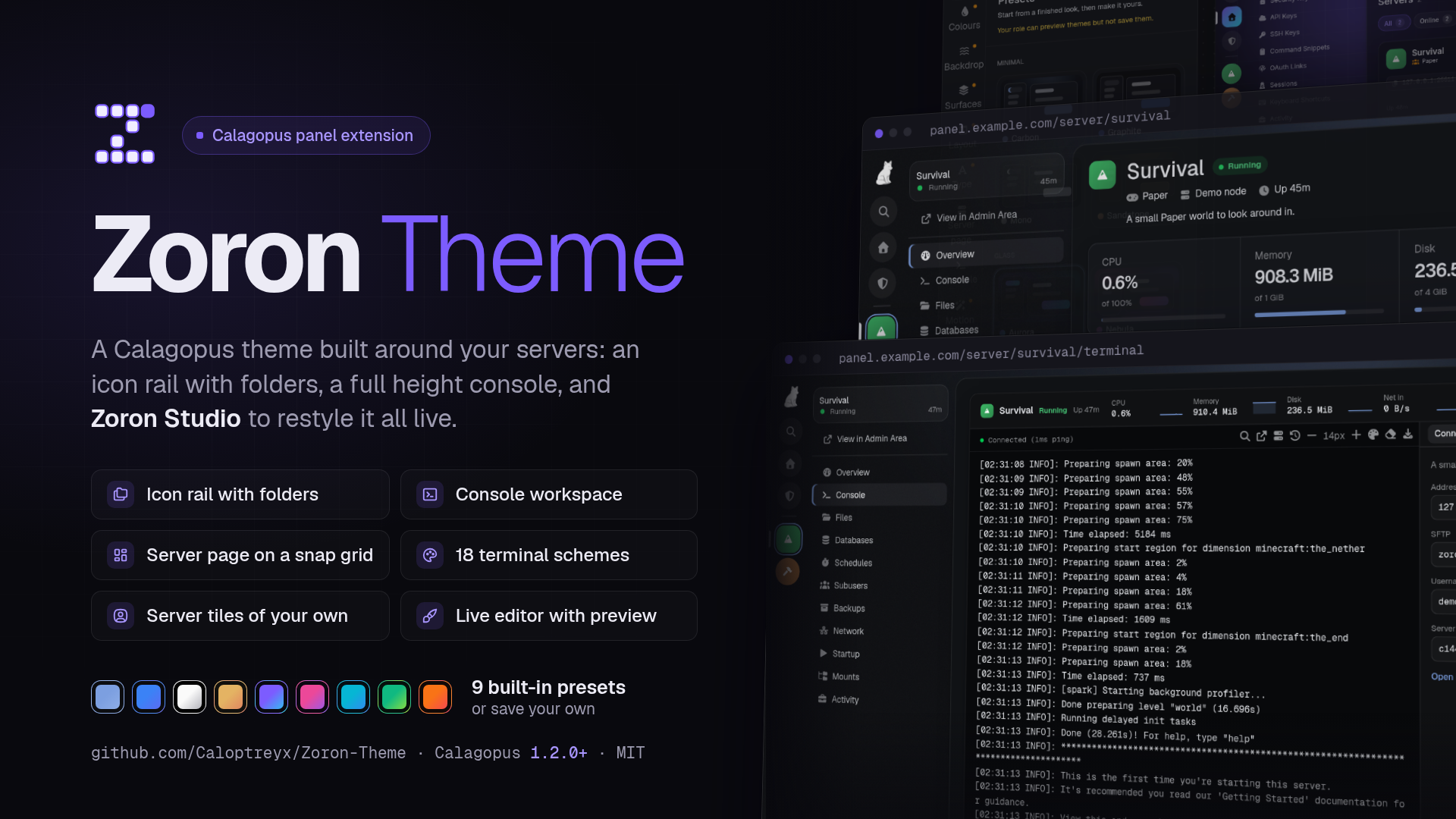
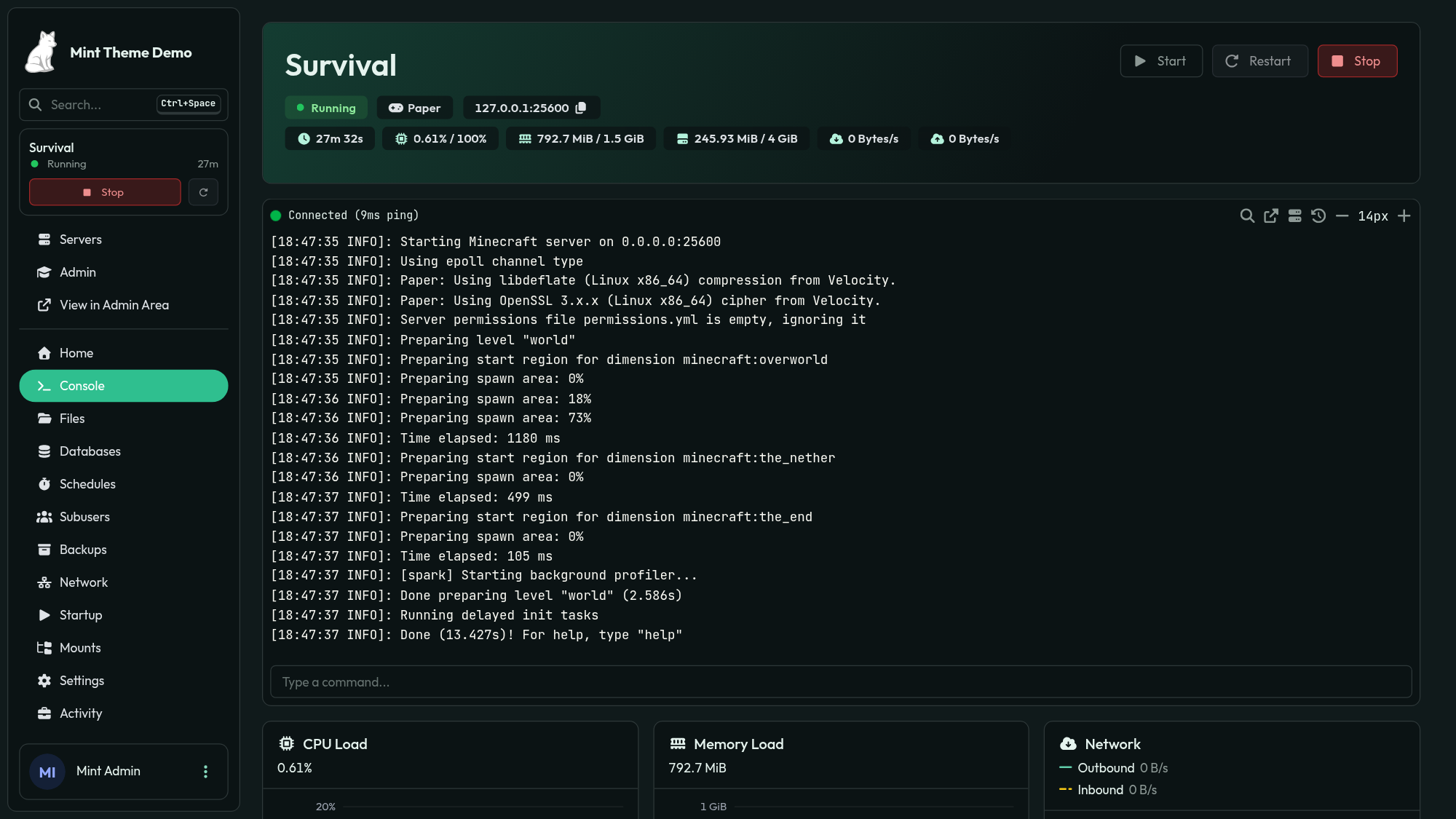
- Console: configurable presets and layouts for the banner, stats, server info, usage rings, quick commands, connection details, charts and extension cards. The terminal supports glass or borderless styling, full-window mode, variable height, cursor styles, custom line height and its own 16-colour palette (one per preset, or your own). Charts support area/line styles, multiple heights and layouts.
- Navigation: collapsible sections, menu ordering per user, admin menu ordering, desktop sidebar/header/top-bar layouts, link styles, quick actions, server/user search and phone bottom navigation.
- Mobile: responsive server tables and a phone-friendly Monaco editor with wrapping, a larger font, hidden minimap/popups and an extra keyboard toolbar.
- Account and announcements: user-uploaded profile banners and avatars, plus optional call-to-action buttons on announcements.
- Login pages: multiple card, banner and split layouts, custom logo/background and support links.
- Appearance: dark and light palettes, custom fonts, monospace code font, background images, artwork per game, browser icon, card/stat/table styles, glass effects, borders, radius and button styles.
- Animations: configurable page, card, row, hover, click, dialog and menu animations with speed controls and a global motion switch. Reduced-motion devices are respected.
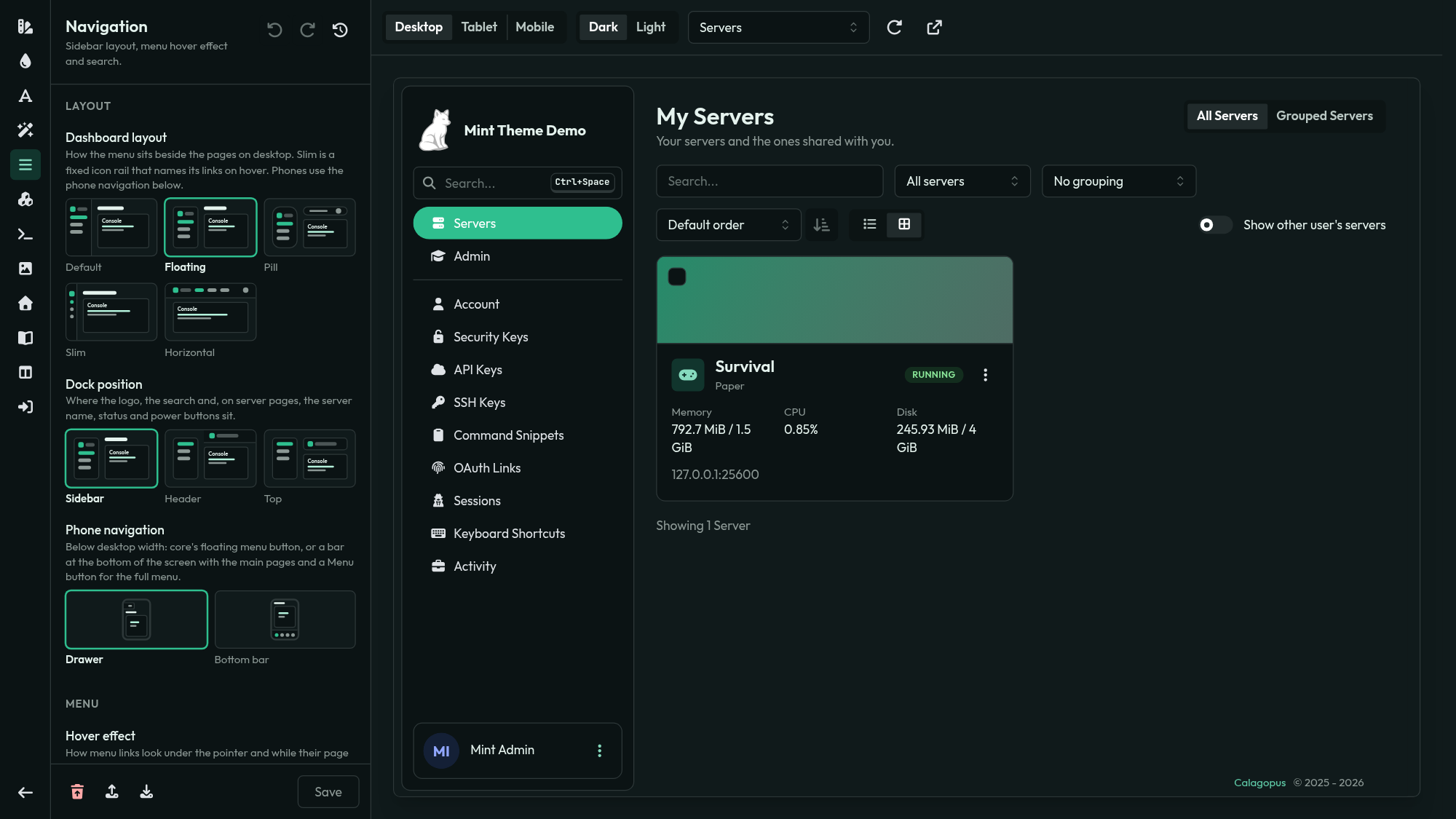
- Theme editor: live preview of the real panel in either mode, searchable settings, presets, undo/redo, import/export, contrast warnings with one-click fixes, validation, resizable settings panel, home layout controls and unsaved-change protection.
- Themes and permissions: nine built-in presets (including high-contrast, light-first and monochrome looks), save up to 20 personal presets, choose built-in or saved presets on the account page, restore the last 10 saved themes, or apply a draft only in the current browser. Saving requires Settings update or Mint theme → Update permission.
- Sharing: copy any theme or preset as a share code or link, paste one into the editor, or pick a look from the theme gallery.
- Languages: English, Arabic, Chinese, Danish, French, German, Italian, Japanese, Latvian, Polish, Portuguese, Romanian, Russian, Slovak, Spanish, Swedish, Turkish and Vietnamese.
Screenshots
| Server list |
Grid view |
 |
 |
| Console |
Theme editor |
 |
 |
Demo
Try the demo at https://mintdemo.caloptreyx.com. It resets hourly and saving is disabled.
Installation
Note
Requires Calagopus Panel 1.2.0 or newer.
- Download
dev_caloptreyx_mint.c7s.zip from the latest release.
- In the panel, open Admin → Extensions and install the file.
- Restart the panel.
The extension is Mint Theme (dev.caloptreyx.mint); new releases appear under Admin → Updates.
Important
Upgrading from 1.2.1 or older requires removing the old dev.s4way.nebula extension, installing the new zip and rebuilding once. Saved themes and announcement buttons carry over.
Usage
Open Admin → Theme Editor to preview changes and save them for all users, including the login page. To add an announcement button, open Admin → Announcements, select an announcement and use its Call to Action tab.
Mint changes the panel at runtime and does not override core files; disabling it restores the stock panel.
Support and contributing
For help or feature requests, join the Caloptreyx Discord. See AGENTS.md for build, integration and testing guidance.
License
Code is MIT. Bundled fonts (Exo 2, Montserrat, Outfit, Plus Jakarta Sans, Space Grotesk, JetBrains Mono and Fira Code) use the SIL Open Font License 1.1; their licence texts are in frontend/src/fonts.